- Who?
- What are Business Hours?
- Where?
- When do you use Business Hours?
- Why do you use Business Hours?
- How do you use Business Hours?
- Conclusion

Who?
Hi there! If you’re new to the blog, I’m trying to build a Salesforce org that my one year old can use and committing myself to building both a hysterical storyline and a solid use case so I can remember this stuff come admin exam time. If you’re not new to this blog, I really appreciate your continued support and hope to make you laugh with something crazy but also genius if you think about it. This is basically a recap of an earlier post, but more in the style of how I am going to operate moving forward.
My daughter has a pillow fight club, and that is ultimately the purpose of this org. We don’t fucking talk about the fight club though. Just don’t. Call it the pizza restaurant or some shit.
I’m basically starting from scratch here (I introduced everyone last month, let’s recap), I’d like to introduce you to the bunch that I am blessed to call my family.
Christopher (Dad)

My name is Christopher, aka Dad. I’m 32 and from South Dakota. Spent most my life in Denver. I spent five of the most formative years of my life in New Orleans, Louisiana. You’ll see why it was so impactful as you read on.
Alexis (Mom)
My girlfriend is Alexis, aka Mom. She’s 33 and from Lafayette, Louisiana. I met her the first weekend of freshman year at Loyola University New Orleans bonding over the sultry sounds of 3OH!3 (Denver represent, Boulder represent, Castle Rock represent), and life decided to give her and I a whole bunch of twists and turns along the way. It’s really an endearing story after you get past how wild it is. I’ll tell the story at some point, it’s a fucking wild one.

Sailor (8)

My surrogate daughter is Sailor, aka Sailor, because that’s her fucking name. She is 8 years old and from New Orleans, although she’s lived all over the place for only being 8. She’s my spirit whereas the other girl is my soul. Both are very important. I feel for Sailor’s situation though – a lot of parallels to a childhood I often like to forget. That’s why I’m grateful for every day I get to spend with her. Even when she wasn’t my daughter, I knew in my mind that I would be involved in her life in some way. You can’t really explain Sailor in one sentence to be honest. A whole lot of complexity with that little kid.
Scout (1)
The star of the show is Scout. She’s 1 and was born in Castle Rock, Colorado. The best way to describe her is absolutely ridiculous but somehow ridiculously endearing in between her bouts of insanity. Although I started this bit about pillow fighting largely in jest, she has recently been taking to chucking pillows at people and dogs. Yep. That’s my girl. Fulfilling the prophecy.

Tito (Chihuahua)

Largely in this story for target practice for Scout. You can follow him on Instagram @titothethug303.
What are Business Hours?
The most simple definition is that they are your availability for customers.
This concept is quite straightforward. Hardest thing in my opinion is remembering everything impacted by business hours. Easiest way for me to remember that is basically anything that would be escalated or reported upon in a support sense would be subject to business hours.
- Name – This is what you want to label the set of hours as. Commonly the name of the office or team.
- Time Zone – You can set a different set of business hours up for each time zone
- Business Hours – This is where you stipulate if and when you are open for business. This impacts escalation and milestone reporting as well.
- Default? – You can only have one default set of hours. Commonly the HQ is the default set of hours
- Active? – You need to make your set of business hours active before being able to use them. You can deactivate any that you aren’t using.
Where?
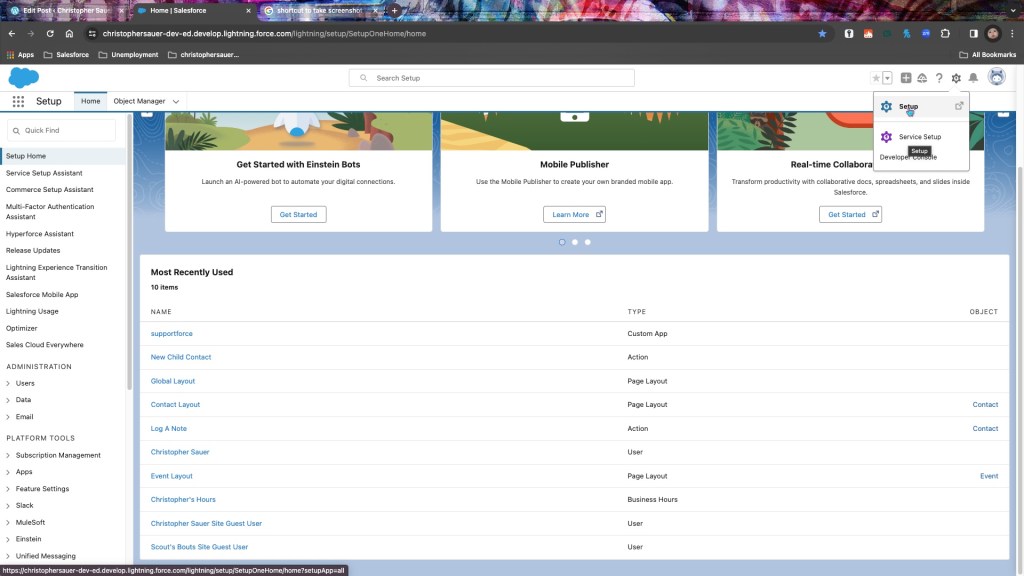
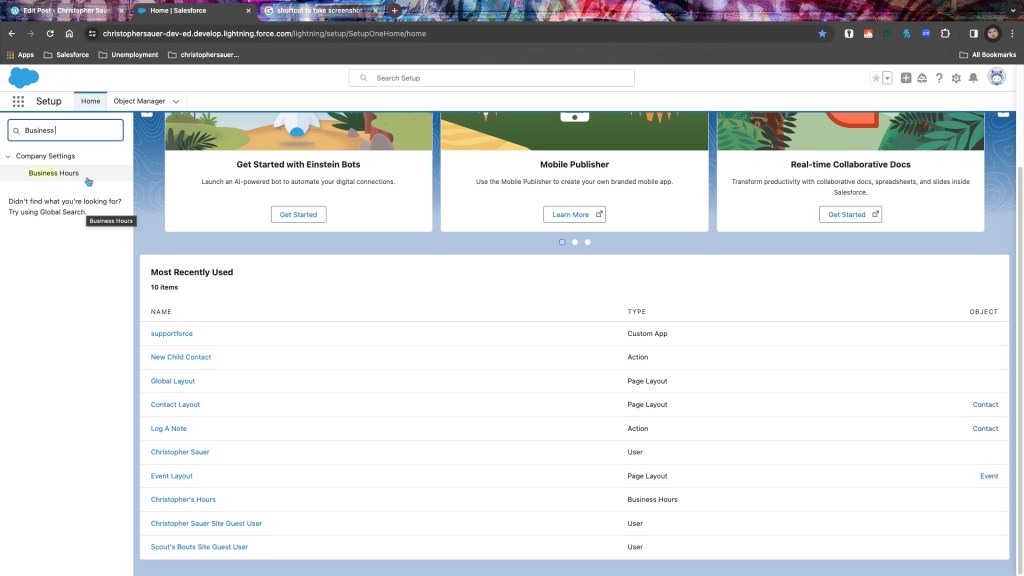
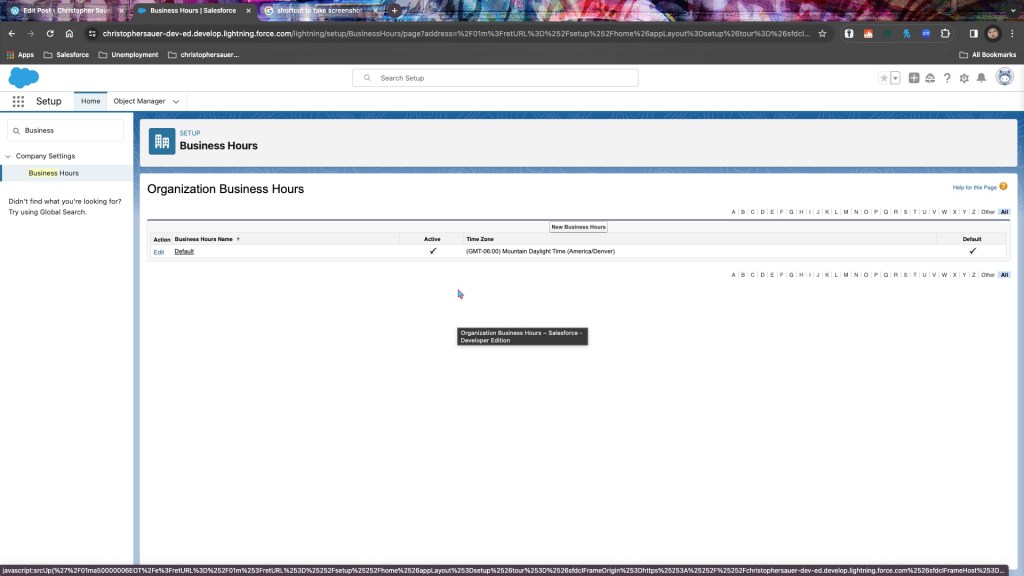
Where do you find Business Hours?
- Setup > Quick Find > Business Hours
Where do you use Business Hours?
- Entitlement processes
- Cases
- Case escalation rules
When do you use Business Hours?
- You want to use business hours whenever there is a team/office with their own unique set of hours.
- The most common use case for these is if you have offices in different time zones
Why do you use Business Hours?
- Business hours are completed to set accurate reporting in the org for support teams.
- This topic matters during customer service situations where time is of the essence and something needs to be escalated after a certain point if not actioned.
How do you use Business Hours?
Use Case
First, let us establish the storyline to work our way through this.
- Mom works 9AM-8PM Sunday through Wednesday as a Credit Analyst.
- Although currently unemployed, I’m going to give myself Monday-Friday hours. As this is my org, we’ll use my hours as the default set of hours.
- Sailor is in second grade. 7:50-2:30 Monday-Friday are her hours.
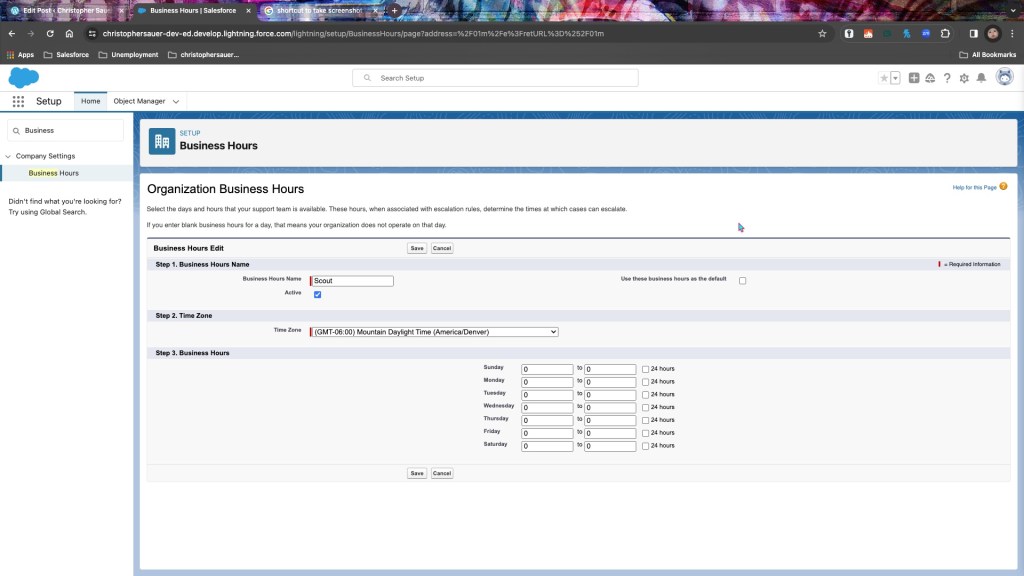
- Scout doesn’t sleep. Ever. That being said, her hours are 24/7. May God have mercy on our souls.
Steps Taken
Dad’s Hours
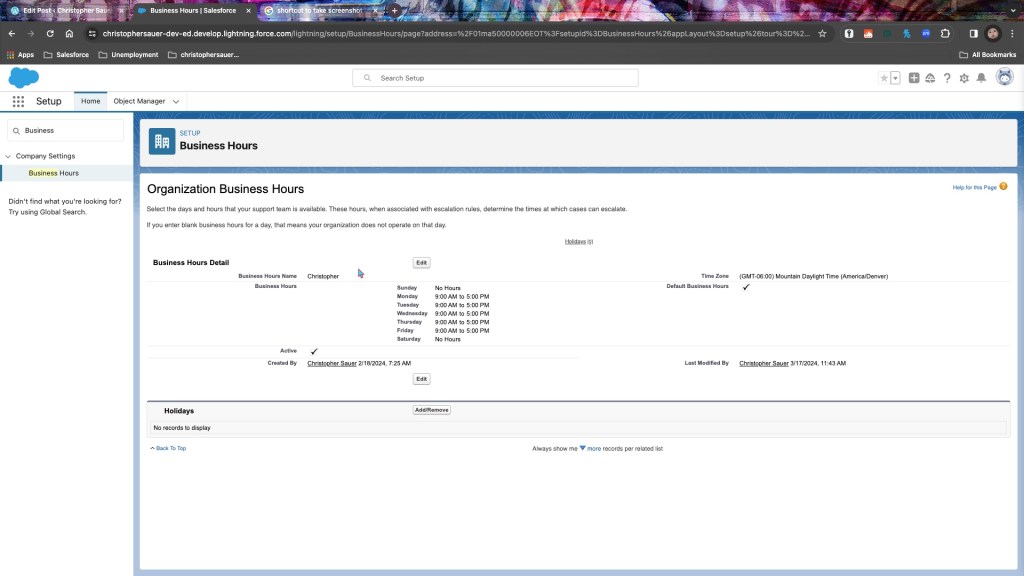
- Once on the business hours page, the first thing I did was edit the name of the default set of hours to my hours. The reason I am choosing my hours as the default is because I’m the administrator of the org. I was torn between using my hours as the default or using Scout’s.
- I set the default timezone to Mountain, as I am located in Denver.
- I set my hours to 9-5 Monday-Friday by ensuring that the fields for Saturday and Sunday were blank and then adding the weekday hours
- Easy way to add in hours quickly if they land perfectly on the hour is just to write the hour in 24-hour notation without the minute field. To accomplish this, I used the tab a bunch, typed 9 for the opening times, and typed 17 for the closing times.
- I ensured that the Default and Active checkboxes stayed checked – ensuring they could be used and will be the primary set of hours. We’ll get to the Holidays part in a later post.
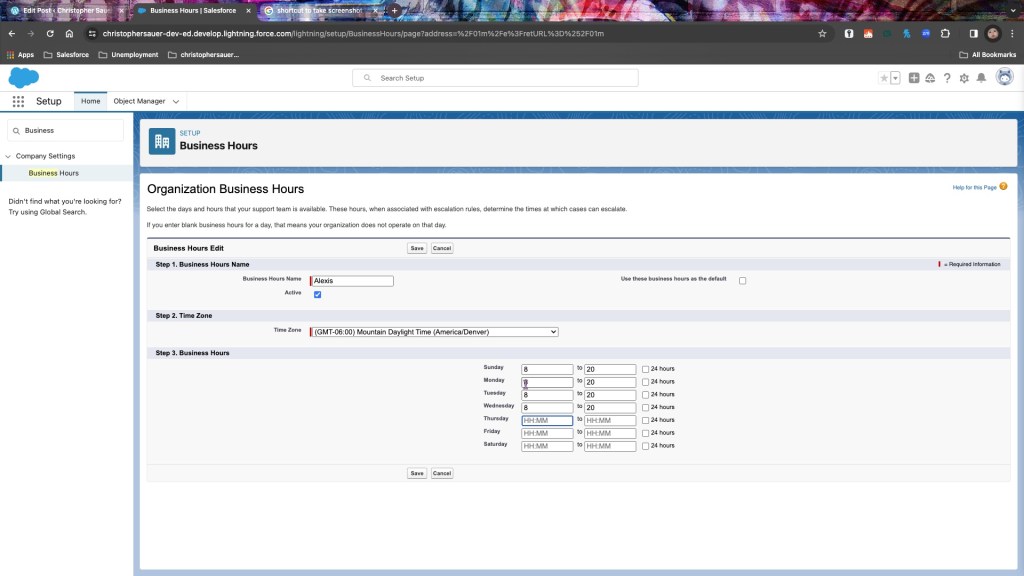
Mom’s Hours
- To set up Mom’s Hours, I created a new set from the Business Hours page
- I named the hours after her since we’re each having our own unique hours in this exercise to expand our use case.
- I left the checkbox for Default unchecked, because my hours are the default hours.
- I did check the box for Active so we would be able to use this later in our exercise. If it’s not active, you can’t use it.
Sailor’s Hours
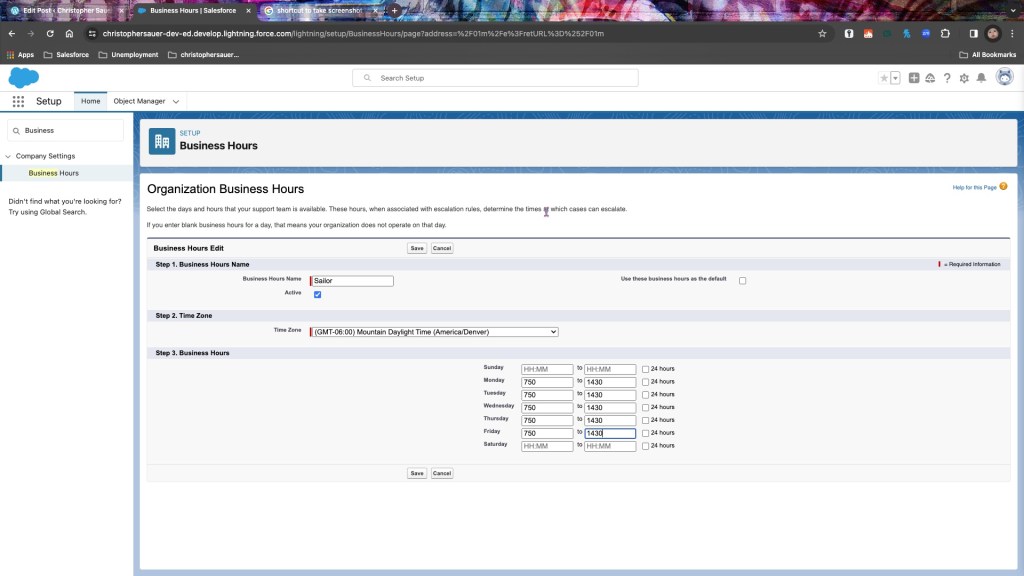
- Setting up Sailor’s schedule was pretty straightforward. Same set of steps until the hours, where I put in her school schedule instead of Mom’s work schedule. No need to expand further on this.
- Side note: Sailor really enjoys the first line of her introduction in this article, and I wish I could get the kids’ support all the time.
Scout’s Hours
- The top two sections again follow the same conventions as Mom and Sailor’s.
- As Scout is up all day, every day, there are two different ways that you can illustrate this
- Check that 24 hour box on the right hand side
- Make the start and end hours the same
- I chose to just tab and type 0 fourteen times because my hands didn’t have to leave the keyboard to accomplish that.
- The fucking kid doesn’t sleep, man. That’s why if we used her hours as the default, our reporting would raise exponentially and our SLA as a result. Trying to keep the shareholders of Scout Magnolia Enterprises happy over here, so that’s why we’re not using demon time as the default set.
Conclusion
- Business Hours specify when your company is available for business, can have one default set, many different sets, and impact milestones for processes.
- My family is adorable.
- This use case is just quirky enough for me to remember it.
Thanks for taking the time to read this. I love you.
If you feel like it, listen to this. I made a song about a kangaroo.
 Christopher Sauer
You must be logged in to post a comment.